Keeping network diagrams up to date has always been one of the most frustrating parts of running a home lab or even a small production environment. In this video, I walk through how I finally stopped drawing network diagrams by hand and started letting the network document itself using Scanopy. I cover why manual diagrams inevitably drift out of date, how Scanopy scans your environment to build living topology maps, and how it handles service discovery including Docker hosts and containers. I also dive into deployment strategies like one daemon per VLAN versus a central daemon, show how easy it is to install with Docker. If you are tired of outdated diagrams and want real visibility into what is actually running on your network, this is a tool worth checking out.
Scanopy project on GitHub
https://github.com/scanopy/scanopy
Scanopy hosted service
https://scanopy.net
Full written walkthrough on VirtualizationHowto
https://www.virtualizationhowto.com/2025/12/stop-drawing-network-diagrams-manually-scanopy-does-it-for-you/
Great Home Lab products:
Mikrotik Cloud router switch, cheap 10 Gig: https://geni.us/iR9dgS
Samsung 990 Pro 1TB get them while still cheaper: https://geni.us/UokyYcP
10 inch rack 6U from Tecmojo: https://geni.us/hoSqGoP
Check out the VHT forums to get your questions answered: https://www.virtualizationhowto.com/community/
★ Skool Community https://www.skool.com/homelabexplorers/about?ref=25f64c297b724689ae81c7dd30ba2c21
★ Substack URL: bleevht.substack.com
★ Subscribe to the channel: https://www.youtube.com/channel/UCrxcWtpd1IGHG9RbD_9380A?sub_confirmation=1
★ My blog: https://www.virtualizationhowto.com
★ Twitter: https://twitter.com/vspinmaster
★ LinkedIn: https://www.linkedin.com/in/brandon-lee-vht/
★ Github: https://github.com/brandonleegit
★ Facebook: https://www.facebook.com/people/VirtualizationHowto/100092747277326/
★ Discord: https://discord.gg/Zb46NV6mB3
★ Pinterest: https://www.pinterest.com/brandonleevht/
Chapters
0:00 Why network diagrams always fall out of date
0:53 Why manual network documentation fails in the home lab
1:46 What Scanopy is and why it is different
2:53 How Scanopy scans and builds living network diagrams
3:49 Interactive topology maps and service visibility
4:10 Scanopy deployment strategies explained
4:54 One daemon per VLAN and why it is recommended
5:52 Central daemon with routing and tradeoffs
6:42 Hybrid deployment for flexible environments
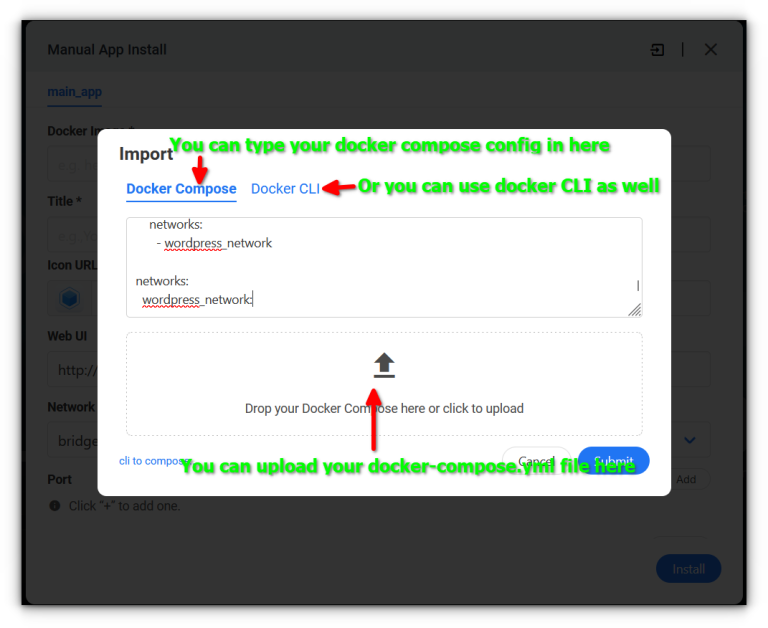
7:20 Installing Scanopy with Docker
7:58 First-time setup wizard and initial discovery
8:59 Scanning VLANs and multi-network environments
9:23 Installing additional Scanopy daemons
10:00 Diagram quality and visual clarity
10:21 Service discovery and supported services
11:10 Exporting diagrams and upcoming improvements
11:58 Limitations to be aware of
13:02 Final thoughts on automated network diagramming