Then the weird bugs start.nginx -t && systemctl reload nginx
Caddy and Traefik are alternatives worth considering depending on your environment. Caddy focuses heavily on simple configuration and automatic HTTPS, while Traefik is commonly used with container and service-discovery workflows.
NGINX remains a good choice when you need detailed control over proxying, routing, headers, caching, or load balancing.If you manage the same NGINX rules across several web applications, repeatedly copying configuration files makes those configurations harder to maintain consistently.
Table of Contents
- 1 What an NGINX Reverse Proxy Actually Does (And Why You Need One)
- 2 Example NGINX Reverse Proxy Configuration
- 3 Reverse Proxy a Node.js App (with PM2)
- 4 Reverse Proxy a Python App
- 4.1 Gunicorn on a Unix socket vs TCP port
- 4.2 The minimal proxy_pass for a Go binary
- 4.3 Disable Proxy Buffering for Streaming Responses
- 4.4 Increase the WebSocket Read Timeout
- 4.5 The NGINX upstream config for Unix sockets
- 4.6 How to Set Up an NGINX Reverse Proxy in RunCloud
- 4.7 Troubleshooting Common NGINX Reverse Proxy Problems
- 5 Wrapping Up
- 6 FAQs
- 6.1 What is the difference between NGINX and Apache as a reverse proxy?
- 6.2 Should I use Caddy or Traefik instead of NGINX?
- 6.3 Why does my WebSocket disconnect every 60 seconds behind NGINX?
- 6.4 How do I pass the real client IP through NGINX and Cloudflare?
- 6.5 What is the cleanest way to add SSL to a Node.js app?
- 7 Reverse Proxy a Go App
What an NGINX Reverse Proxy Actually Does (And Why You Need One)
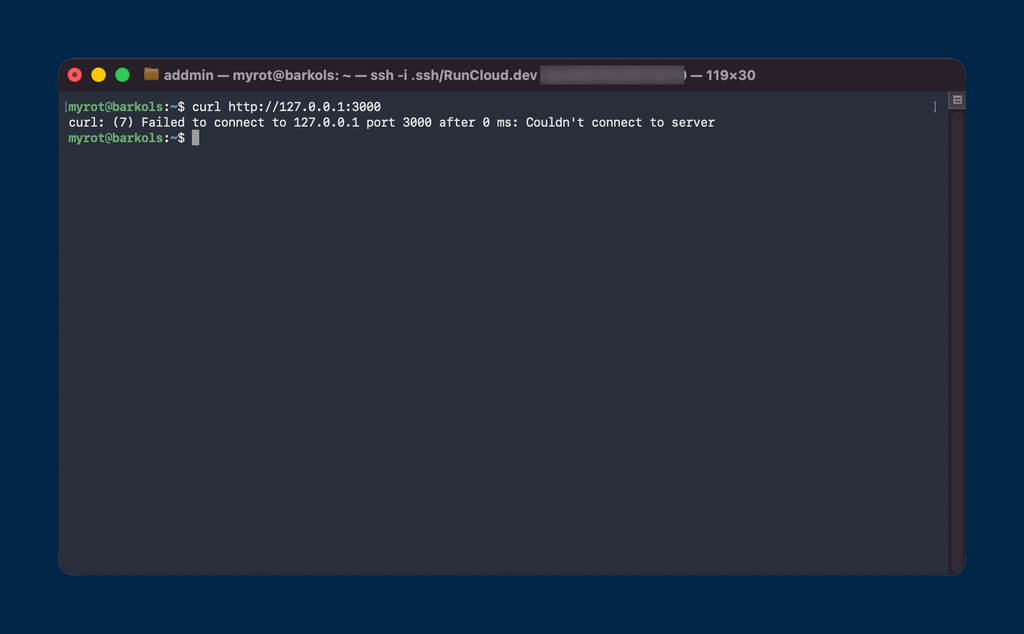
curl http://127.0.0.1:3000
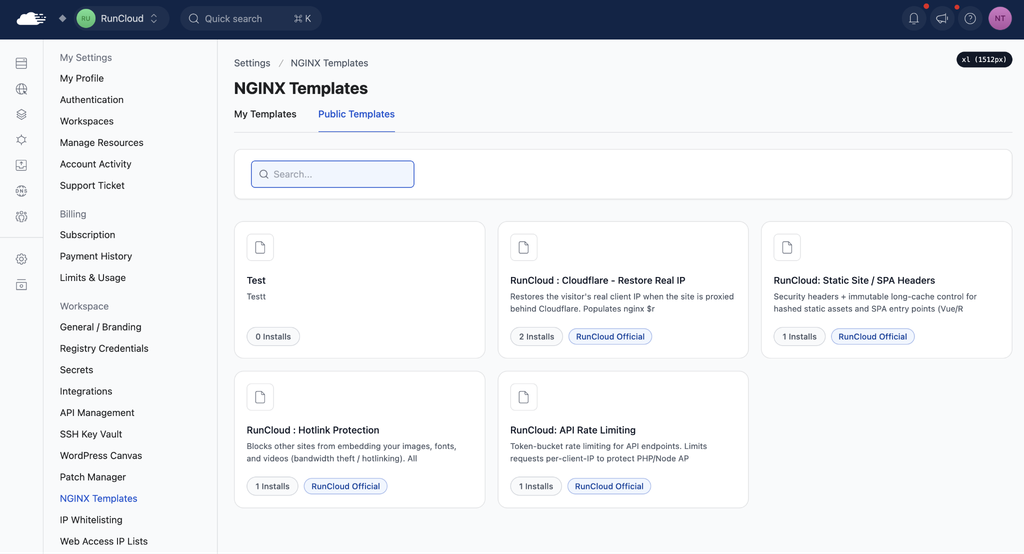
Note: Use the web application’s NGINX Config tools when configuring a reverse proxy for an individual application. NGINX Templates are useful when you want to reuse and centrally manage the same configuration across multiple applications.
SSL termination, port consolidation, and HTTP/2 to the client
Yes. NGINX can distribute traffic across multiple Node.js instances using an upstream block. The available load-balancing methods include the default round-robin behavior as well as methods such as least_conn and ip_hash.
Choose the method according to how your application handles sessions, connection duration, and backend capacity.RunCloud provides dashboard tools for managing NGINX configuration without manually editing generated application configuration files. You can create reverse proxy configurations, validate them before applying them, and manage reusable configurations through NGINX Templates.
Why Put NGINX in Front of Your Application?
If your server is managed by RunCloud, you can configure the reverse proxy from the dashboard without manually editing the generated NGINX configuration files.proxy_pass http://127.0.0.1:8080;
Reverse proxy vs forward proxy vs load balancer
A 502 error usually means NGINX cannot connect to the upstream application.
Before You Configure the Reverse Proxy
Depending on your framework, you may also need to configure the application to trust the reverse proxy before it uses forwarded headers.
- Your application is already running.
- You know the local port or Unix socket used by the application.
- The application is not unnecessarily exposed on a public interface.
- Your domain points to the server.
- Ports 80 and 443 are reachable if you are serving the application publicly.
- Your SSL certificate is already available if you use the HTTPS configuration shown below.
Explicitly setting the proxy version remains useful when you need compatibility with older NGINX installations and makes the WebSocket requirement clear:You can disable proxy response buffering for the relevant location:
Example NGINX Reverse Proxy Configuration
We have all been there.
Example HTTPS Reverse Proxy Configuration
Your real-time WebSockets silently disconnect every 60 seconds. You check your application logs, only to realize every single visitor’s IP address is logged as a Cloudflare server or your own local proxy’s IP. Then a user tries to upload a basic 2MB image and gets slammed with a frustrating 413 Request Entity Too Large error.client_max_body_size 50M;
For a TCP-based application, test the upstream directly:
Configure Multiple Upstream Application Instances
}If you run multiple instances of your application, you can define an upstream block outside the server block. NGINX can then distribute requests across those application instances.
Reverse Proxy a Node.js App (with PM2)
This provides several benefits for server management:
Run the Node.js App with PM2 on Port 3000
If you manage the application with RunCloud, you can create the reverse proxy from the RunCloud dashboard. Set the web application’s stack to Native NGINX + Custom Config, then use the predefined Proxy configuration under NGINX Config and set it to the port used by your application. The exact configuration depends on your application, whether another proxy or CDN sits in front of NGINX, and which NGINX version you are running. Testing each configuration change before applying it is therefore essential.When you are deciding between web servers and reverse proxies, you need to understand the terminology. A forward proxy sits between clients and external services and sends requests on the clients’ behalf. A reverse proxy sits in front of one or more backend servers and receives requests on their behalf. NGINX can also act as a load balancer by distributing requests across multiple backend instances. A reusable configuration can define the appropriate Connection value with a map:Gunicorn can listen either on a local TCP port, such as 127.0.0.1:8000, or on a Unix socket. Unix sockets can be useful when NGINX and Gunicorn run on the same server because access can be controlled through filesystem permissions.
Zero-downtime reload pattern
Older NGINX versions default to HTTP/1.0 when proxying HTTP requests to upstream servers. NGINX 1.29.7 and later default to HTTP/1.1.After changing a standard NGINX configuration, test the configuration before reloading the service:
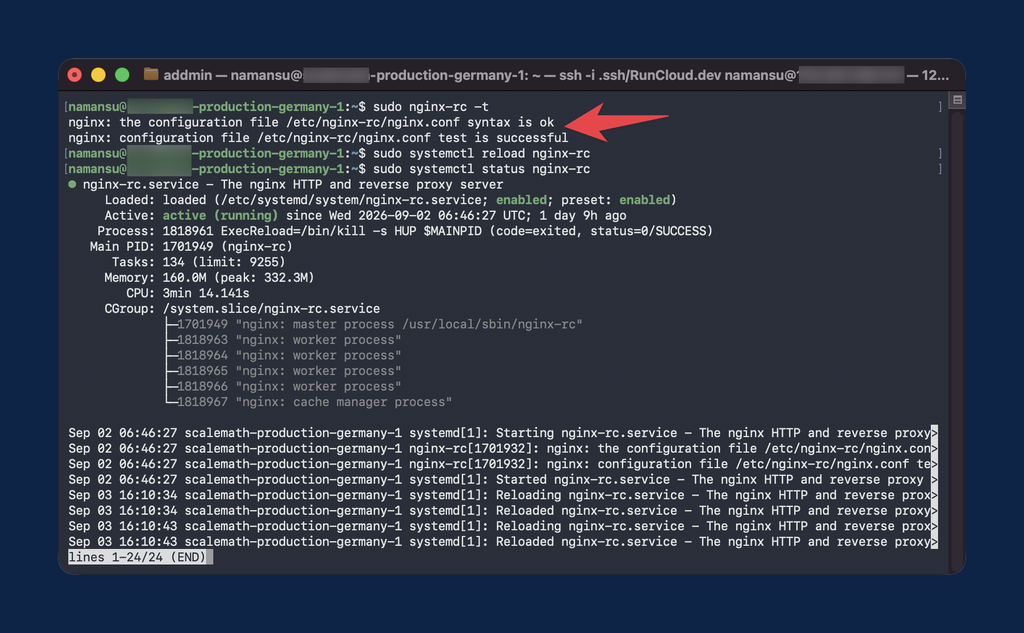
If connections close after periods of inactivity, review proxy_read_timeout and your application’s WebSocket heartbeat behavior.
Reverse Proxy a Python App
An NGINX reverse proxy gives you a central place to handle HTTPS, route requests to your application, forward request information, and configure features such as WebSocket support and upload limits.
Gunicorn on a Unix socket vs TCP port
If you are running real-time applications like chat servers or automating workflows by hosting n8n behind Docker and NGINX, you need WebSockets. But WebSockets break easily behind NGINX if you miss three critical details. ” close;Make sure NGINX forwards:You can test a TCP-based application locally before configuring NGINX. For example:If you use RunCloud, you can create and manage reverse proxy configurations from the RunCloud dashboard rather than manually editing generated NGINX configuration files.Both NGINX and Apache can act as reverse proxies. NGINX uses an event-driven architecture and is commonly used as a dedicated reverse proxy in front of application servers. Apache supports reverse proxying through modules such as mod_proxy and offers several Multi-Processing Modules with different connection-handling models.
The better choice depends on your existing server stack, configuration requirements, and operational preferences.
The minimal proxy_pass for a Go binary
There is a significant difference between an application that runs on localhost:3000 and one that is ready for public traffic. NGINX uses a default proxy_read_timeout of 60 seconds. If the upstream sends no data during that period, NGINX can close the connection.
You can increase proxy_read_timeout for long-lived WebSocket connections or use application-level ping/pong messages or other heartbeat traffic to keep the connection active.map $http_upgrade $connection_upgrade {
default upgrade;
'' close;
}
server {
listen 443 ssl;
http2 on;
server_name myapp.com;
# SSL Configuration
ssl_certificate /etc/letsencrypt/live/myapp.com/fullchain.pem;
ssl_certificate_key /etc/letsencrypt/live/myapp.com/privkey.pem;
# Example upload limit
client_max_body_size 50M;
location / {
# Proxy pass to your application
proxy_pass http://127.0.0.1:3000;
# Support HTTP/1.1 and WebSocket upgrades
proxy_http_version 1.1;
proxy_set_header Upgrade $http_upgrade;
proxy_set_header Connection $connection_upgrade;
# Forward the original host and client connection details
proxy_set_header Host $host;
proxy_set_header X-Real-IP $remote_addr;
proxy_set_header X-Forwarded-For $proxy_add_x_forwarded_for;
proxy_set_header X-Forwarded-Proto $scheme;
# Connection timeouts
proxy_read_timeout 300;
proxy_send_timeout 300;
}
}
When people visit a website, they expect secure https:// traffic on port 443 served via modern HTTP/2 protocols. Your application is probably served via plain HTTP/1.1 on port 3000. If NGINX terminates HTTPS but the application believes the request arrived over HTTP, the application may repeatedly redirect the request to HTTPS.proxy_pass http://unix:/tmp/myapp.sock:;
Disable Proxy Buffering for Streaming Responses
When you deploy a long-running Node.js application on a VPS, you will usually run it under a process manager or service manager so that it can restart after a crash or server reboot. PM2 is a common option. If Cloudflare sits in front of NGINX, configure NGINX’s real-IP module to trust only Cloudflare’s published proxy IP ranges and use the appropriate client-IP header. This allows NGINX to replace the Cloudflare proxy address with the original visitor address before forwarding it to your application.
Do not trust forwarded client-IP headers from arbitrary sources, because clients can otherwise supply forged values.NGINX can handle TLS termination, connection management, request limits, compression, logging, and other web-server responsibilities while your application remains focused on handling application requests.If your Go application is listening on 127.0.0.1:8080, set proxy_pass to that address:If you want to manage your NGINX reverse proxy and web applications from a central dashboard, sign up for RunCloud and deploy your next application.
curl http://127.0.0.1:3000
Then use:
When it is time to go live, you need SSL, a custom domain, and a secure way to route traffic to your backend. If you are like most developers, you probably grab the top NGINX reverse proxy snippet from Stack Overflow, paste it into your server, and call it a day.
Increase the WebSocket Read Timeout
gunicorn --bind unix:/tmp/myapp.sock wsgi:app
The NGINX upstream config for Unix sockets
pm2 start server.js --name "my-app" -- -p 3000
If uploads fail with a 413 response, increase client_max_body_size to a value appropriate for your application:
How to Set Up an NGINX Reverse Proxy in RunCloud
You can technically configure a Node.js or Go application to listen directly on port 443 and manage its own TLS certificates. In many production environments, it is simpler to place NGINX in front of the application instead.
- Log in to the RunCloud dashboard and select your server.
- Open Web Applications and select the application you want to configure.
- Open Settings and change the Web Application Stack to Native NGINX + Custom Config.
- Open NGINX Config and select Add a New Config.
- Choose Predefined Config and select the Proxy configuration.
- Set the proxy destination to the port used by your Node.js, Python, or Go application.
- Configure options such as proxy buffering or WebSocket support if your application requires them.
- Select Run and Debug to validate the NGINX configuration.
- Once the configuration passes validation, select Create Config.
- Test the application through its public URL or with curl.
The default proxy_read_timeout is 60 seconds. If the upstream server sends no data during that period, NGINX can close the connection.
Troubleshooting Common NGINX Reverse Proxy Problems
502 Bad Gateway
This makes NGINX Templates useful when the same configuration needs to be maintained across several applications without manually updating each one. Check that the application is running and listening on the address or socket configured in If your server is managed by RunCloud, use the NGINX Config tools in the RunCloud dashboard to configure web applications. RunCloud uses its own NGINX package and configuration structure, so generic nginx service commands and paths may not match a RunCloud-managed server. Python applications handle concurrency differently than Node.js, usually relying on WSGI (Gunicorn) or ASGI (Uvicorn) servers. Instead of relying on incomplete configuration snippets, we will show you a more complete NGINX reverse proxy setup that you can adapt to your application and server environment. This will help you prevent common WebSocket timeout problems, preserve the correct client connection information, and terminate SSL cleanly before forwarding requests to your application. This sends The protocol used between the client and NGINX is separate from the protocol NGINX uses to communicate with an upstream application. For normal HTTP reverse proxying, NGINX can proxy requests to HTTP upstream servers independently of whether the client connected using HTTP/2 or HTTP/3. In this setup, NGINX “terminates” the SSL connection, meaning it handles the heavy lifting of decryption and HTTP/2 multiplexing, and passes plain, unencrypted traffic to your app locally. This will allow you to centralize your certificate management. Most tutorials give you only the basic proxy configuration and leave you to handle features such as WebSockets, client IP forwarding, upload limits, and timeouts separately. The following example provides a more complete starting point that you can adapt to your application and server environment. You can then add the required forwarding headers, timeout settings, and WebSocket configuration for your application.RunCloud recommends creating and editing custom NGINX configuration through the dashboard. Generated application configuration files should not be edited manually because RunCloud manages those files. RunCloud NGINX Templates let you create reusable configuration files in your workspace and link them to multiple web applications. You can manage these templates centrally from Settings > NGINX Templates rather than manually editing each application’s configuration over SSH. This gives you a safer way to manage reverse proxy configuration across your applications while retaining control over application-specific settings such as ports, WebSockets, buffering, and forwarded headers. For an application that accepts a -p port argument, you could start it with PM2 on port 3000: Before setting up NGINX, make sure:RunCloud provides two template areas:If you are using NGINX for the first time, you can read our NGINX configuration basics guide first. But in short, a reverse proxy sits in front of your application server (like Node, Python, or Go) and intercepts all incoming internet traffic. Go’s proxy_set_header Upgrade $http_upgrade;proxy_read_timeout 86400;
proxy_pass.413 Request Entity Too Large
WebSockets Disconnect or Fail to Connect
Connection: upgrade only when an upgrade has been requested.Redirect Loops
If your application uses a protocol such as gRPC, use the corresponding NGINX proxy module and configuration rather than the standard HTTP proxy_pass configuration.Check that WebSocket upgrade headers are passed to the application and that the proxy uses HTTP/1.1 where required for compatibility.Many Node.js frameworks use the Host and X-Forwarded-Proto headers when determining the original hostname and protocol. Forwarding these headers allows the application to identify that the original client connection used HTTPS even though NGINX communicates with the application over local HTTP.Incorrect Client IP Addresses
proxy_set_header X-Forwarded-Proto $scheme;
Wrapping Up
proxy_http_version 1.1;
FAQs
What is the difference between NGINX and Apache as a reverse proxy?
Should I use Caddy or Traefik instead of NGINX?
Why does my WebSocket disconnect every 60 seconds behind NGINX?
How do I pass the real client IP through NGINX and Cloudflare?
upstream my_nodejs_app {
server 127.0.0.1:3000;
server 127.0.0.1:3001;
}map $http_upgrade $connection_upgrade {A common production approach is to terminate TLS at NGINX and proxy requests to the Node.js application over a local connection. This centralizes certificate management and allows the application to run without managing its own public TLS listener.
You can obtain and renew certificates with a tool such as Certbot or use your server-management platform’s SSL tools.What is the cleanest way to add SSL to a Node.js app?
proxy_buffering off;
Reverse Proxy a Go App
net/http package can serve HTTP traffic directly without requiring a separate web server. Placing NGINX in front of a Go application can simplify TLS termination, compression, rate limiting, logging, and other HTTP-level configuration. NGINX includes gzip support, while Brotli requires Brotli module support in the NGINX build.